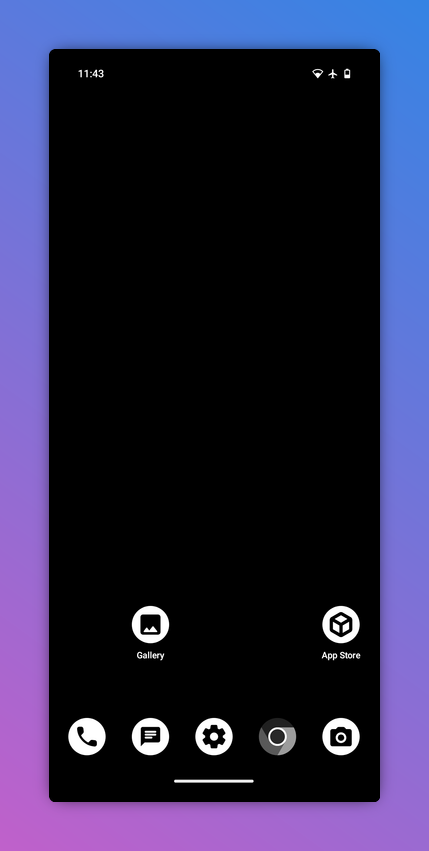
We have begun to sell phones running Graphene OS which is a security focussed version of Android.
By default, it’s very minimal and doesn’t come with many apps pre-installed. So here are some of our favourite Android apps that we tend to pre-install for our clients (if they want us to).
Application management
F-Droid
Simply the coolest. This is THE open source app store that Google and the other privacy haters don’t want you to install.
Everything in the F-Droid store is judiciously examined for any privacy disrespecting code. The app selection is fantastic, and all the apps take up so little space on your device due to the lack of bloat and tracking crap.
It’s the first place you want to look to find an app to solve a specific problem.
All the links will point to the F-Droid page for the app, where you can find more info about them and links to their official sites.
Aurora Store
If you do need to grab some apps from the Google Play store, and you opt for a de-Googled Android phone, you can do so via the Aurora store. Uses an anonymous account or you can log in with an existing Google account.
Note that some apps won’t work as intended without Google services installed but many such as WhatsApp, Trainline and some banking apps work well enough.
https://f-droid.org/en/packages/com.aurora.store
Shelter
Rad app which allows you to enable a “work profile”, which is a Android feature for business users.
Shelter creates a work profile space that useful to isolate some non open source apps or run two copies of the same app on your phone.
Can be turned on and off with a quick settings button.
https://f-droid.org/en/packages/net.typeblog.shelter
Media
AntennaPod
Our favourite podcast app. Does everything you need.
Fun fact; it accepts any RSS feed, so you could pull in a few blog posts or news-feeds in a pinch.
https://f-droid.org/en/packages/de.danoeh.antennapod
Vinyl
Simple and pretty music player. Gets the job done.
https://f-droid.org/en/packages/com.poupa.vinylmusicplayer
New Pipe/Tubular
NewPipe is an incredible YouTube app. It blocks ads and you can do many YouTube things without even having an account such as subscriptions, playlists and playing in the background.
Tubular is a fork that adds Sponsor Block which skips different types of in video advertising on YouTube. Some people argue that it takes away income from creators. The verdict is out on that one (they need a union).
https://f-droid.org/en/packages/org.schabi.newpipe
https://f-droid.org/en/packages/org.polymorphicshade.tubular
Utilities

Breezy Weather
Beautiful weather app. This was the only weather app we could find in F-Droid that had an option for a notification when it was about to rain. So well designed.
It even has a live wallpaper based on the current weather. Sadly ours is mostly grey clouds.
https://f-droid.org/en/packages/org.breezyweather
Etar
Effective calendar app that can handle everything you throw at it.
https://f-droid.org/en/packages/ws.xsoh.etar
DAVx5
This app allows you to sync your calendars and contacts using CalDAV which most calendar services support (e.g. Nextcloud, Google etc).
https://f-droid.org/packages/at.bitfire.davdroid

KDE Connect
If you run Linux on your other computers, this app is amazing.
You can do stuff like share links and files between your desktop and phone, control your desktop from your phone and pause your video on desktop when you get a call.
Note that you need to be on the same network for this to work. There’s pairing and a few settings to tweak to get started.
https://f-droid.org/en/packages/org.kde.kdeconnect_tp

Foss Wallet
A cool app that allows you to download and use .pkpass files which are a format for tickets and passes that Apple uses and a lot of popular ticket sites offer. Much better than a PDF.
https://f-droid.org/en/packages/nz.eloque.foss_wallet
Security

Signal/Molly
Signal is still the gold standard end to end encrypted messenger and one of the most popular open source apps out there. It is close to the perfect balance between security and usability.
Molly is a soft fork of Signal. This means it shares the majority of the same features with a few privacy focussed tweaks. You can install it alongside Signal for a second account and it has some additional privacy features.
“Secret” link to download Signal as a self updating APK for de-Googled devices: https://signal.org/android/apk/
Private Lock
This is an app that will lock your phone when it detects lots of movement in the phone’s internal gyroscope. This defends against someone snatching your unlocked phone from your hand.
It requires a bit of tweaking to set the threshold correctly. It can also be used as a alternate way to lock your phone, just don’t throw your phone across the room by mistake.
https://f-droid.org/en/packages/com.wesaphzt.privatelock
Oblivion
Simple app that will wipe your phone remotely if it spots a special long code in your phone notifications. Could be really useful if your phone is lost or stolen.
There is another app called FMD (as in “Find My Device”) which has a lot more features (e.g. replying with phone location), but it’s much more complicated to setup.
https://f-droid.org/en/packages/net.oblivion.wipe
KeePassDx
Offline first password manager. Database file is compatible with other KeePass apps such as KeepasXC on desktop.
Can be synced with other apps such as Nextcloud, Syncthing etc.
https://f-droid.org/en/packages/com.kunzisoft.keepass.libre
Paid Services
Ente Photos
Ente are a cool open source company based mostly in India. They offer an end to end encrypted photo backup and storage service that is very reasonably priced and has loads of useful features such as on device machine learning image detection, family plans and no vendor lock in.
https://f-droid.org/en/packages/io.ente.photos.fdroid

Ente Auth
Ente also offer a decent two factor authentication app that can be easily synced across devices if you have an Ente account.
https://f-droid.org/en/packages/io.ente.auth
Bitwarden
Leading open source password manager service that syncs across your devices. Works really well even for non-techies. Not available on F-Droid.
Can be used with the self hosted Vaultwarden back-end to avoid vendor lock in.
Hope that was helpful, as always you can hire us to help you.